Since its launch, sideloading has been a crucial component of Android, giving it a great deal of flexibility as well as a feeling of freedom and openness. The community (quite understandably) panicked when Google announced it would make significant changes to sideloading. However, since Google has now demonstrated how its new sideloading flow on Android will operate, I’m not only relieved that sideloading won’t completely disappear, but also that Google’s compromise is as close to ideal as I believe we can get.
Some have called “Android Developer Verification” the demise of Android’s open nature. The change, which would require developers to register with Google in order to permit their apps to be installed on Android devices, was introduced by Google last year as a restriction on app installation, including sideloading. At first, Google described this as verifying the “who” of an app, similar to an airport ID check.
Combating scams, such as “convincing” bogus apps, and reducing malware and other harmful attacks—particularly those caused by sideloading from sources outside the Google Play Store—were always the main priorities here. Over the years, Google has been more aggressively combating Android frauds, with some degree of success. One way it has done this is by preventing sideloaded apps that are used in scams.
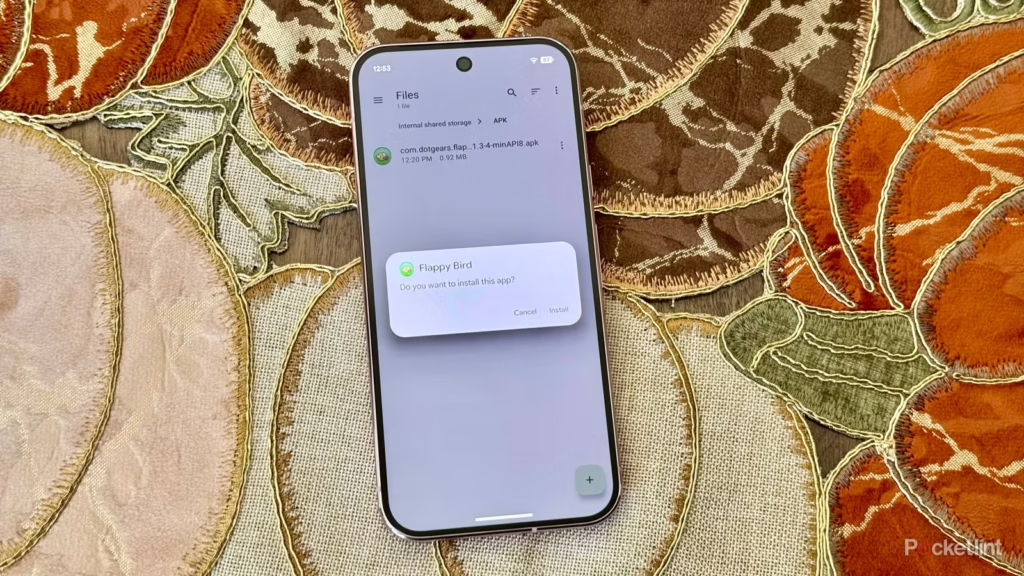
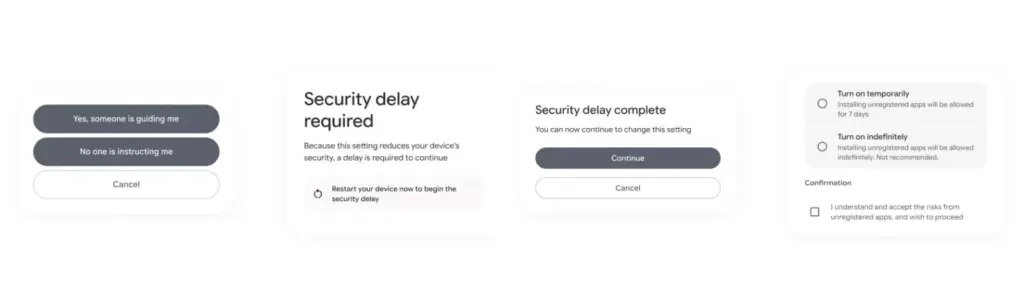
Google officially unveiled the new “advanced flow” this week, which enables users (and developers) to sideload apps that aren’t created by registered developers.After asking the user to certify that “no one is directing me,” the four-step procedure begins a 24-hour delay. In order to initiate the timer, the user must restart their device. After admitting the risks once more, they can resume the sideloading procedure 24 hours later; if they choose to leave it on “indefinitely,” the delay just occurs once. In actuality, this is really a one-time obstacle. Developer options must be enabled, but you can later disable them, which is the largest “headache.”
Google has stated time and time again that a “crackdown” on sideloading is not about taking away freedom or functionality, but rather about protecting users and, most importantly, stopping scams that are common on Android in particular areas. Google doesn’t prevent developers or even consumers from accomplishing what they truly want to do by restricting sideloading as planned, but it puts a huge barrier in the way of con artists.
Scammers frequently use timed pressure and a sense of urgency. A waiting period of twenty-four hours with a few additional warnings? That is a difficult barrier against those kinds of frauds. For people who are being duped by more prevalent scams, it’s also a major inconvenience. For instance, a few weeks ago, after purchasing a low-cost fitness tracker, a family member called me to inquire as to why their homescreen had changed. It turns out that the product needed them to sideload an unidentified software in place of their launcher. I guided them through the uninstall process, but a 24-hour wait and all these extra warning screens? The installation would never have taken place.
It’s a careful method of striking a balance between functionality and user protection. Because developers and enthusiasts who need or want to sideload an app immediately may still utilize the standard ADB tools, whereas the “ordinary Joe” must wait for that 24-hour period to end. Those who truly can’t wait the 24-hour period (which, once again, only needs to be once) still have options, although that is a headache for “regular” users and even more so for fraudsters.
Not to mention that you won’t often have to deal with this anyhow. After developers apply for Google’s developer verification program, sideloading is no longer a problem and there are no waiting times or other “in the way.”
How do you feel about Google’s modifications to Android sideloading? There are undoubtedly still many people who disagree with this, but as previously stated, I don’t think there is a better solution.
Are you looking for a music-making app for your Android device? Then you have landed in the right place. Because in this blog, we will be covering the best ones of 2023. So, continue reading to learn about them.
The concept of making music on smartphones might have felt surreal two or three decades ago, but now that we are living in the 21st century, you can easily create any kind of music on your Android device anywhere, anytime.
While it is true that producing music on a laptop or desktop system lets you create better quality and more powerful music within a much shorter time with their robust processors and external USB device facilities, there are some excellent music-making apps for Android devices that seamlessly let you create music on the go.
So, what are you waiting for?
Let’s dive into the world of the best music apps and take advantage of advanced technology.
Best music-making apps for Android 2023
There are countless types of music apps available on the market. For instance, there are the best soundboard apps that let you play audio clips, and then there are music-creating apps that we will be discussing in the coming part to make the everyday lives of artists easier and more interesting. The purpose of these apps is to create music you like and share it with your loved ones.
So, let’s get to know them.
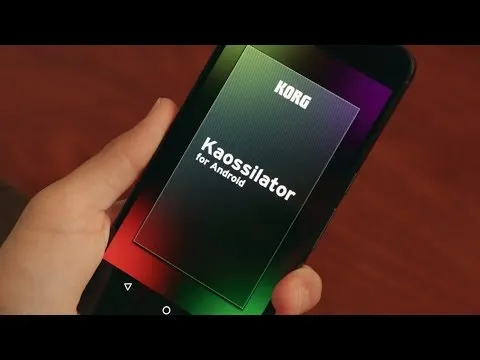
KORG Kaossilator for Android
KORG Kaossilator for Android is another excellent music-synthesizing app that gives you a full-fledged experience by simply moving your fingers on a touchpad. You can seamlessly add layers to your performance and record them. With a wide range of options, from electronic to instrumental to acoustic, you can engage yourself in the world of music creation if you want to.
Moreover, the app offers 150 diverse in-built music sounds through which you can create versatile dance music styles, be they techno, house, EDM, electro, or a lot more. Also, you can erase all your wrong notes using its scale/key feature so that your music stays in the right place.
And if you want to level up your music performance with additional layering, you can also do that with the help of its in-built loop sequencer, which includes five different types of layering, including synth, bass, chords, drums, and sound effects.
However, the only downside of this app is that it is a bit pricey and includes in-app purchase.
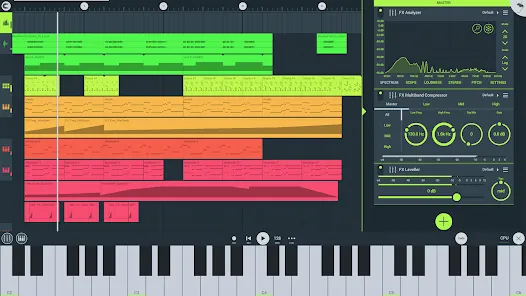
FL Studio Mobile
Powered by Image-Line, FL Studio Mobile is an excellent music-making app for Android users that lets you produce ultra-high-quality music on the go. The interesting thing about this app is that you can plug it into your desktop when you reach home and continue working from the system, which is a great advantage for professional music composers.
Furthermore, if you want to add step-by-step sequences, you can use this app and then further refine your music with reverbs, filters, and effect modules. Moreover, the app lets you save the files in multiple formats, including WAV, MP3, FLAC, and MIDI, and share them with your loved ones via WiFi or any cloud.
However, the only downside of this app is that it is not free and includes an in-app purchase for the DirectWave Sample Player.
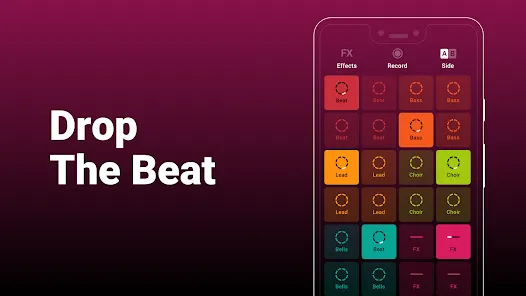
Groovepad
As its name says, the Groovepad music-making app lets you create your own smooth-sounding music at ease with all its keyboards and extensive library of one-of-a-kind and unconventional soundtracks. It has an engaging interface and very color-coordinated buttons that make the whole spotting and navigation process easier.
Just pick any song from its array of genres, including Hip-hop, EDM, House, Trap, electronic, and more, and create your own incredible melody. Talking about its other eccentric features, it includes mind-boggling FX effects like reverb, flanger, delay, or filter that bring back the party feels into your life.
An ideal choice for both beginners and professionals, the app lets you share your self-created music with your loved ones using your inner DJing talents.
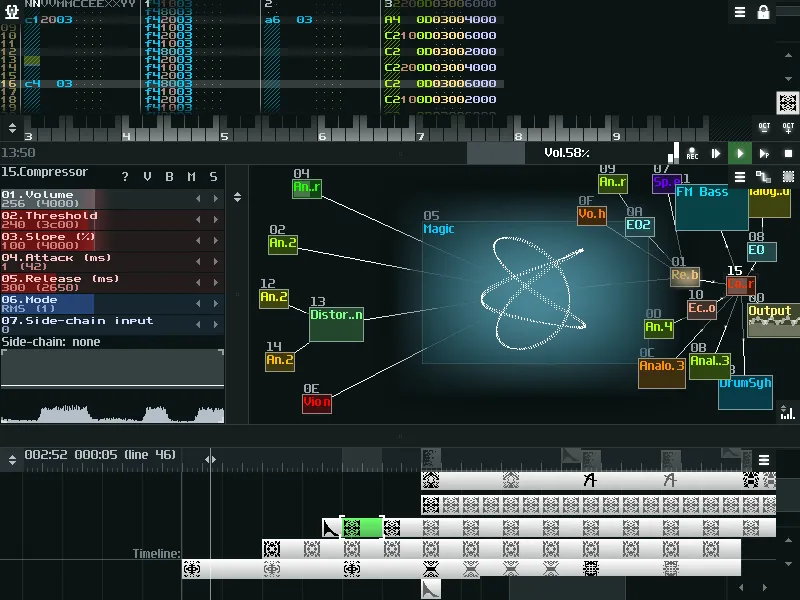
SunVox
SunVox is a distinctive music sequencer app for small and fast cross-platform devices with an in-built pattern-based sequencer (also called the tracker). It is a tool that most professional music composers would like, as it comes with extremely optimized synth algorithms, a malleable architecture, and multi-platform support systems.
Furthermore, the app has a well-defined modular interface that makes it easy to understand and use. And if you’re ready to import music that consists of multiple tracks, you can even export it into WAV format.
Its other potential features include USB musical instrument digital interface IN/OUT for 6+ Android users, mic recording using a sampler, the ability for developers to deploy the SunVox engine into their own apps via its free library, and support for 16/24/32 bit WAV, AIFF, and XI music samples.
BandLab – Music Making Studio
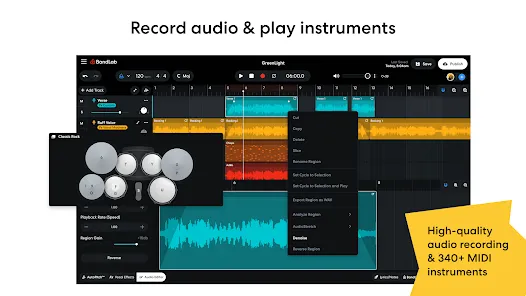
BandLab: Music Making Studio is another potential music-making app for Android devices with a global user base of 60 million. It is the best free multi-track music maker app available on the market. Its digital audio workstation (DAW) lets you seamlessly record, edit, and add multiple layers of music to create your own grooving remix.
The app gives you limitless music storage and accessibility from any device, so now you can create and access it from anywhere and at any time. Furthermore, there are over 15,000 royalty-free sounds and beats that you can use in your music. This app is more than just any music app; you can use it as a beat-maker or an audio recording app.
With 180+ distinct vocal, guitar, and bass effect presets, 330+ virtual MIDI instruments, and tools like AutoPitch, Looper, Metronome, or Tuner, you can create your own world of music and live in it for a lifetime.
Roland Zenbeats Music Creation
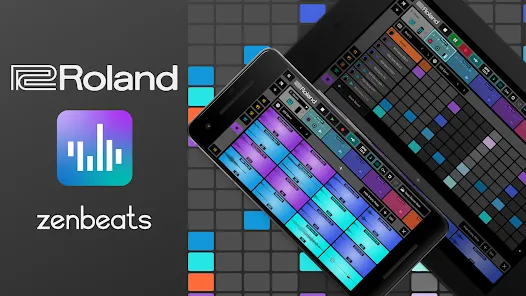
With its classic collection of traditional and modern sounds, Roland Zenbeats Music Creation brings out the history of Roland into a very unique melody style. The app works well for the halfway-to-advanced level of music creators. So, in whichever part of the world you are living in, unleash your inner creative spirit with the app and create your own sense of beats, a multitrack song, or a melody.
Talking about the features that the app offers, it comes with 14,000 plus presets that let you create something super exciting and fresh; you can tweak your music with its advanced edit functionality; sample your music with a touch of your finger on Zen’s drums; it offers you a set of drum tones from TR-808 to TR-909; and a lot more.
The number of presets or any kind of advanced functionality is fairly distributed between the free and pro versions.
RD4 Groovebox
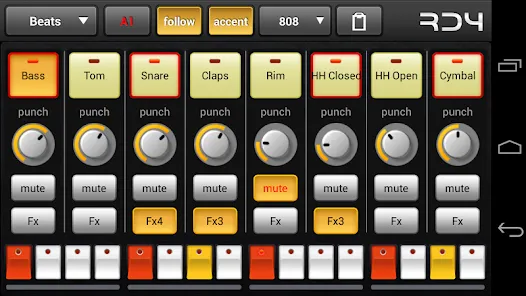
RD4 Groovebox is another premium music-making app that lets composers and artists create their styles of music in real-time with the in-built virtual analogue synthesisers, marvellous drum effects, and grooving tunes. One can simultaneously select instruments for the four channels and record and set the notes for each of these instruments.
Also, the interface has been mindfully designed to match the shape of the fingertips and the frequency. The multi-touch sensor-enabled app makes it simple for the creators to invent multiple musical phrases. Furthermore, one can tweak the sound of music by modifying the oscillators, adding filters, or even adding audio envelopes.
To even refine the music, you can add reverb, phaser, distortion, delay, and even control the tempo. Overall, it is another great paid music-making app for Android devices.
Add Music to Voice
The app does exactly what its name says. Add Music to Voice is a great choice for those vocalists who don’t have a playback band or an instrument and have just started out in their career and are looking for that perfect track for their voice.
So, the app simply lets you record a new voice or add an existing one from your device and add background music from its amazing music library. To refine the final output, you can take advantage of smart filters so that your voice and music blend smoothly. Consider it a useful app for all your Karaoke parties.
Hip-Hop Producer Pads
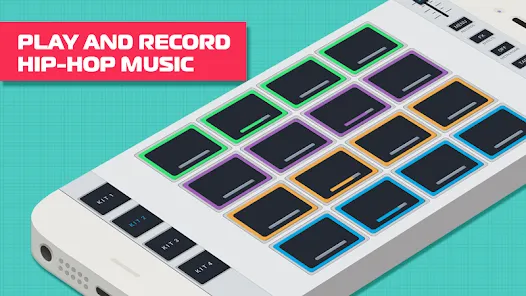
It is a fun music-making app for Android devices. As the name says, the app lets you create super-fresh, unique Hip-Hop music using the in-built virtual Sampler and drum equipment.
Considering its key features, it lets you create melodies with an array of options like Loops, One-Shots, or samples; to keep the rhythm, there is a metronome, and create outstanding music and be the real hero of the party.
Wrapping-Up
That’s all for the best music-making apps for Android devices. Now that you know about these amazing apps, it’s time to take advantage of their power-packed functionalities.
Use their incredible soundtracks, beats, voiceovers, and sound effects, seamlessly cut and merge them, and create the music your heart agrees upon. And feel immense joy by sharing it with your family, friends, and that special someone.
We hope you find these music apps worthy. If so, don’t forget to share your favorite among them.
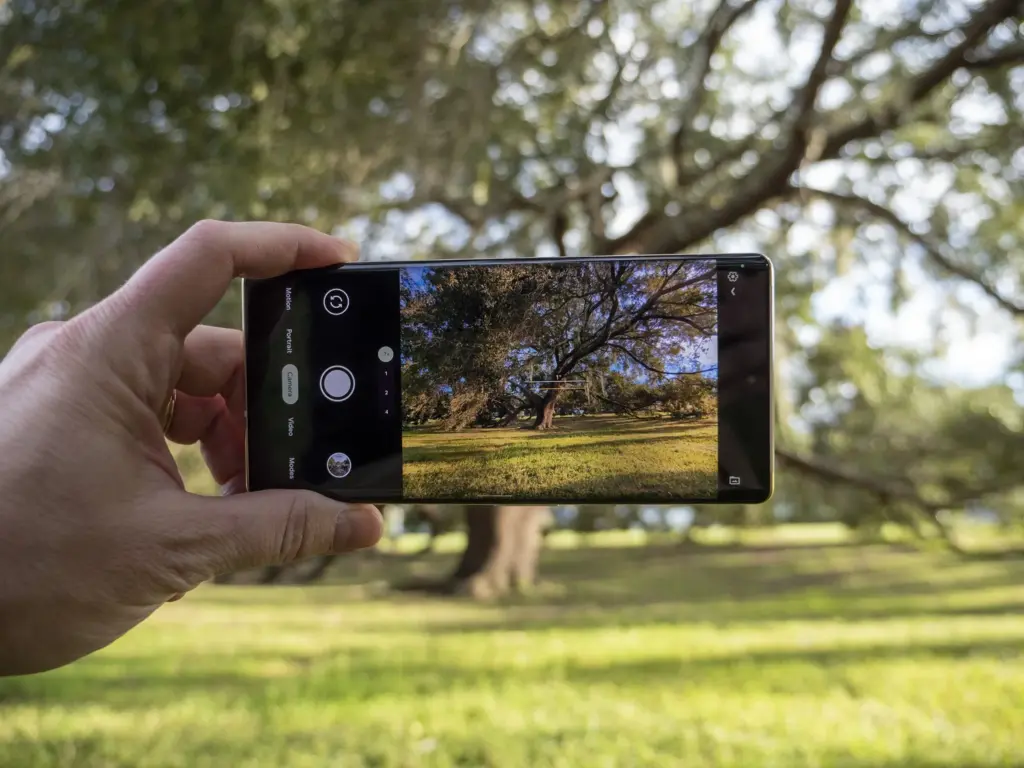
The Google Pixel family became some of the greatest Android phones for photography on the market for a number of years thanks to Google Camera and its post-processing algorithms, which clearly changed the game in terms of what we expect from smartphone cameras. That’s precisely why Google Camera ports for non-Google devices are so popular.
For practically every smartphone that supports the Camera2API, you may access Google’s improved HDR+ enhancement and its Portrait Mode by using the appropriate ported Google Camera software, also known by the community as simply “Gcam.” Google even released Google Camera Go, a condensed version of the Pixel’s Google Camera software that can be sideloaded on multiple devices without further tinkering. The “Go” version initially lacked the majority of the exciting features you’d find in the full-fledged app, but over the past few years, Google has been striving to add support for some of those cutting-edge capabilities.
Besides the Camera2 API, Google Camera also requires Google Play Services. The app will crash if you try to run it on a phone without Google Apps. You can, however, use MicroG or Gcam Services Provider to spoof Google’s proprietary libraries.
Download the most compatible APK file of the ported Google Camera from the next section and install it.
Either use one of the suggested versions for your device or pick one of the generic mods.
You may need to install additional XML configuration files.
Restart the app
List of devices that have known working Google Camera Ports
Devices from multiple OEMs having at least one functional Google Camera Port are listed below. We looked for the most reliable and well-liked versions. Although there may be “better” versions available, most users should be able to use the ports provided here. Please let us know in the comments area below if you believe that a device is missing or that a link needs to be updated.
Please take note that the gadgets below are displayed in name-alphabetical order. There’s a chance that some of the linked threads aren’t actually from the device forum. This is accurate because numerous ports function on a variety of devices. Simply said, we provided a link to a post where you could get the necessary APKs and configuration files.
In Huawei’s app store, an interesting problem has been discovered. A glitch in the Huawei AppGallery allows users to free download paid Android apps.
According to the source’s information, this exploit allows users to “get a genuine APK download link for premium programs.” This might, of course, be used to pirate apps.
According to the source, Huawei has been informed of the flaw. The firm recognized the issue but did not specify when it would be resolved. However, we believe that will happen very soon.
If you’re a developer, you should consider protecting your apps. It is recommended that developers use DRM, such as the AppGallery’s DRM Service, to safeguard their apps.
Huawei’s AppGallery has been doing exceptionally well. Since the US embargo went into place, the corporation has put a lot of money into it. It now has a large number of apps, albeit it is still nothing near the Google Play Store.
Still, the sheer number of good apps in the AppGallery these days may surprise you. If you can’t find what you’re looking for in the AppGallery, Huawei also allows you to install programs from APK repositories.
It’s also worth mentioning that AppGallery isn’t exclusive to Huawei phones. It is not available on the Google Play Store, but it may be sideloaded into your smartphone. Why would you want to do something like that? If you require Huawei’s own apps, you may get them here.
The Health and AI Life apps are required if you’re using the company’s watches or earphones. The AppGallery has the most recent versions of those programs. Of course, that is only one example.
Youtube Vanced, which is essentially a modded version of the YouTube app, is a very popular Android app. Youtube Vanced provides lots of additional functionality, as you expect from a mod app, and also unlocks certain disabled features that were previously not compatible with your Android version. We will cover all the key features of YouTube Vanced in this tutorial and how to install YouTube Vanced on your Android phone, whether it is rooted or non-rooted.
Youtube Vanced enables so many feature that you get with premium Youtube plan. Such features include adblocker, background playback, override max resolution, picture in picture (PIP) mode, force HDR mode, swipe control to change brightness, preferred speed & resolution, black/dark themes available, etc.
Google has just launched two new Pixel 5 and 4a 5 G smartphones. The two phones have just launched with intriguing specifications for hardware and software. Although the Pixel 5 is not the flagship phone with the highest hardware configuration, the Snapdragon 700 SoC series still supports 5G. As for the applications, out of the box, both the devices feature Android 11 and some exclusive Pixel apps and services such as the camera app. The stock of older Pixel 4 (XL), 3 (XL), 2 (XL) and 4a and 3a cameras have all been updated to the new Google v7.6 APK camera.
Sadly, Google has not mentioned what’s new in the latest version of the camera, including v7.6.
The Play Store listing only mentions the age-old changelog of dual exposure controls to adjust brightness and HDR of your photo, added Astrophotography feature to Night Sight mode for the Pixel 3, 3a, and 4. Top Shot photos feature with touch and hold on the shutter button to capture. Here is the complete changelog from the Play Store listing:
Added dual exposure controls to adjust brightness and HDR of your photo (Pixel 4).
Added Astrophotography to Night Sight to allow you take a picture of the Milky Way with one tap (Pixel 3, 3a, and 4).
Added Frequent Faces to help you capture Top Shot photos where the people you photograph most are smiling and not blinking (Pixel 4).
We do, however, have a list of features from previous versions of the Pixel camera, such as the Gcam 7.5. “Audio zoom” allows you to capture audio / sound from the microphone in a particular direction with a motion blur effect that provides DSLR-like quality for images of moving objects. The flash intensity allows you to change the flash intensity at will. The video sharing feature now also applies to videos. In Google camera 7.6, we should expect all these features as well.
On the other hand, Pixel 5 and 4a 5G feature new Google Camera 8.0 out of the box. This camera update didn’t come to the older Pixel series yet. However, you can still install it using our Gcam 8.0 post from here alongside your original camera app. You can expect some of Google camera 8.0 features into the Gcam 7.6 as well. Check out all the Pixel 5 and 4a camera features here.
Moreover, previous Google Camera 7.4 enables 8X camera zoom for video recording on the current flagships Pixel 4 and 4XL. It also brings a new toggle for changing resolution while video recording in the dropdown menu on the viewfinder. Later, Google released a newer stable Google Camera 7.4.200 APK as well.
Download Google Camera 7.6 APK
Here is the latest Google Camera 7.6.008.327100377 original APK available for download for older Pixel series phones including Pixel 4 (XL), Pixel 3 (XL), 2 (XL), OG Pixel 1 (XL). So if you have an older Pixel device and do not see the newest update on the Play Store, then download the APK and simply install it as a normal app. It will only support Android 11 or later.