Tag: android 10

  • The most popular Android version in 2021 is … old!

    The most popular Android version in 2021 is … old!

    Google has started disclosing Android fragmentation statistics on a yearly basis since 2018. The official Android OS distribution list was just posted as we near the end of 2021.

    The story is the same every time: Since its formal debut, iOS 15 has been installed on the majority of iPhones, but Android 12 is only on 0.1 percent of Android phones. The update procedure, on the other hand, is somewhat different. After all, Apple is in charge of both hardware and software development, in contrast to Android, where each manufacturer develops their own bespoke software and hardware.

    That doesn’t make looking at Google’s operating system’s distribution stats any less painful. Previously, the corporation published this information on a monthly basis, but since 2018, the list has been updated only once a year. Only versions with a distribution of more than 0.1 percent appear in it. Furthermore, the data is based on the number of Android devices that entered the Google Play Store in the previous month’s seven days.

    So it is possible that there are thousands of Android devices running older versions than Android 4.1, but these have a share of less than 0.1% and did not make it into this list. Also, it is worth mentioning that since September 27, Google started preventing logins on older versions of Android. This change affected versions before 2.3.7.

    Android versionAPI levelDistribution
    Android 4.1 Jelly Bean160.2%
    Android 4.2 Jelly Bean170.3%
    Android 4.3 Jelly Bean180.1%
    Android 4.4 KitKat191.4%
    Android 5.0 Lollipop210.7%
    Android 5.1 Lollipop223.2%
    Android 6.0 Marshmallow235.1%
    Android 7.0 Nougat243.4%
    Android 7.1 Nougat252.9%
    Android 8.0 Oreo264.0%
    Android 8.1 Oreo279.7%
    Android 9 Pie2818.2%
    Android 10 Q2926.5%
    Android 11 R3024.3%
    Android 12 Snow cone31

    The most popular official version of Google’s OS, as seen above, is Android 10 Q, which was released in 2019 and looks to be installed on 26.5 percent of active Android devices. Then there’s Android 11 R, which will be available in 2020 and is already used by 24.3 percent of active phones. Meanwhile, Android 9 Pie, which was released in 2018, is in third place with an 18.2 percent share, followed by Android 8.1 Oreo, which was released in 2017 and has a 9.7 percent share. My trusty calculator informs me that Android 9 or older is installed on 49.2% of all Android phones. In 2018, Pie was released.

    Even after months of testing, the most recent version of the operating system, in this case, Android 12, has yet to arrive on a significant number of handsets.

    Unfortunately, Android fragmentation has long been the Achilles heel of the world’s most popular mobile operating system. Google’s initiatives, on the other hand, appear to be making an impact. Previously, much older versions were the ones who got the biggest piece of the fragmentation cake. Most devices today, at least, run on newer versions.

    Also, security patches offer a longer life for phones bought more than three years ago, which makes Android 10’s high distribution less surprising. The same, however, cannot be said for the 5.1% share of Android 6.0 Marshmallow, announced in 2015!

  • 7 best custom ROMs for Android

    7 best custom ROMs for Android

    Android 10 Custom Rom

    Everyone is aware of the fact that because of its customization feature, Android is one of the users’ most favored operating system, setting it apart from iOS and other operating systems. Android OS allows users to make a personalized version of Android depending on their taste and interests and that’s where personalized ROMs come in.

    custom rom

    A custom Rom is essentially a firmware based on the source code provided by the Google app. These custom roms give you the opportunity to explore exciting features and learn about the latest design you can use to customize your Android app to your needs. One positive thing about Android custom ROMs is that they are free of bloatware, while offering strong customizations at the same time.

    So, if you’re a guy who loves to customize and want to personalize your computer. So get ready to learn about some of the best Custom ROMs you can try right now and these ROMs can help you get the most out of your Android device.

    Pre-requisites:

    • Unlock Boot loader
    • TWRP Recovery

    Before installing a custom rom in your device make sure that you have an unlocked bootloader and a custom recovery like TWRP or CWM installed.

    DerpFest OS – custom ROM

    derpfest

    After initially booting the Rom. Unlike other Custom Roms that use Pixel ‘s stock Launcher, DerpFest uses a third-party launcher named Lawnchair, when you unlock the screen it will take you to the new launcher.

    This launcher is highly customizable and you can adjust any part of your user interface and home screen believe me. By using Icon Packs, Colors, Grid Styles & More, you can change the Gui feel.

    Now let’s think about the user interface improvements in the Center. This ROM creates a blur effect on the different UI components. If you look at the notification bar, you can see a beautiful blur effect on the background whenever you visit the Notification Center that differentiates how it looks from the stock edition.

    Pixel experience – custom ROM

    pixel experience

    If you’re a guy who loves Google phones and can’t afford to buy expensive smartphones then you can install Pixel Experience ROM in your device to get a pixel screen look to yourself. This custom ROM will turn your smartphone from icon to widget into a Google app with all of the scintillating functionality.

    When you get a pure look of Google computer through this ROM you don’t want more than that. It’s quite identical with the original Google Rom so it’s able to give you a large number of customizations with all the ingredients you need to customize your computer.

    Lineage OScustom ROM

    lineage os

    Many users face stability issues in custom ROMs but this problem is solved by lineage rom which is a successor of cyanogen mod rom. Lineage OS has become the most common rom among users after cyanogen discontinued.

    Lineage has been able to induce a large number of users to download their ROM which in a sense cemented the position of this rom in the market.

    This ROM was also the key source of development for all the other Roms, since most of the Roms out there follow the lineage rom ‘s footsteps. Lineage rom offers some better personalization than others. You may wonder why lineage rom has not been able to make it to top of the list of most custom roms after such a strong reputation in custom roms.

    In fact, lineage rom is not entirely based on customization, rather it gives due importance to all the factors required for a good custom rom such as reliability , performance, battery life, etc. and to cover this broad spectrum of user needs, these roms are doing their utmost and have managed to make their mark among the custom ROMs.

    Resurrection Remix

    Resurrection Remix

    In this list, Resurrection Remix grabbed third place. This rom is also an old market player, and started its development in the early days of Android 4.0. The key highlight about RR is its feature packed menu of settings loaded with attractive customization options which captured the users’ eye ball.

    Resurrection Remix ROM has managed to remain a step ahead of them in a cut throat market as all the Roms have been innovating by upgrading the rom with exciting features. In addition to architecture, looks and configuration, the RR ROM development team is continuing to incorporate fresh improvements in rom to make it an exciting experience for users.

    One limiting feature about RR is that it has jam packed stuff which can disturb the harmony of your device and you may face some stability problems.

    AospExtended

    aosp extended

    As mentioned earlier in the preconditions pages, after installing some of the roms, you’ll need to flash your computer, which may be a concern for some of you, but don’t worry we’ve got a solution to all of your problems. If you want to save your computer from any unnecessary problem when flashing your app, AOSP is one of the best custom Roms.

    I ‘m saying this because I’ve been flashing the custom roms of AospExtended for some time now, but I haven’t faced any kind of problem so far. From the rom ‘s name you can assume that it has lots of AOSP extensions.

    Statistics are an exciting aspect for this ROM, and since its release it has over 1.3 million downloads, and as the number suggests, this has been the users’ favorite choice.

    This rom is a combination of all the necessities of a custom rom, from navbar modifications to gestures, presentation designs combined with smooth buttery UI and exotic themes. Stability of this could bother you but overall it’s one of the best custom roms you’ve got to try.

    OmniROM

    omni

    Function plus reliability, you may be waiting for these items to be merged on the list so we’re with OmniROM here. It is one of the best custom roms that has managed to retain stability across all its updates.

    There are two thrilling omni highlights which are open delta and free turn. This rom was used as a model for several of the custom rom designs, too. Elegant wallpapers, simple user interface and flexible features makes this a go for the users.

    Paranoid Android

    paranoid android

    Paranoid android is one of the series that you might have seen all about once in your life. This rom is famous for its feature built in house, but after release of KitKat-based AOSPA.

    This has slowed down compared. This has continued to be the best Custom ROMs in the game for quite a long time now, given the slow down.

  • Corvus OS v4.0 – Android 10 custom ROM

    Corvus OS v4.0 – Android 10 custom ROM

    Caorvus OS latest update changelog:

    *Fixed DC Dimming
    *Added DC Dimming QS Tile
    *Added FPS Overlay
    *Added FPS Tile
    *Added Digital-style icon for FPSInfo
    QS tile
    *Added ringer mode checking for
    Camera Sound effect
    *FOD: Added dispparam handling
    mechanism as fallback
    *Fixed A2DP when offload is disabled
    *Improved FOD on AOD
    *Enabled LED Notifications
    *Fixed MultiUser Section FC
    *Switched to April Crosshatch build
    Fingerprint
    * Switched to Latest Immensity Kernel

    (adsbygoogle = window.adsbygoogle || []).push({});

    Corvus OS Features:

    Themes:Accent picker
    Theme backup
    Theme styles
    
    Notifications:
    Heads up options
    Charging animation
    Edge Lighting
    Blink Flashlight on Call
    
    Miscellaneous:
    Rounded Corners
    System Animations
    Scrolling Cache
    Expanded screenshot
    Gaming Mode
    Three Finger Swipe
    DT2 Sleep
    Signature Spoofing
    Sensor block per app package
    Screen off animation
    Dashboard conditions
    Dashboard suggestions
    Disable device identifier restrictions
    
    Fingerprint Prefs:
    Fingerprint error vibration
    Fingerprint authentication Vibration
    
    Lockscreen:
    Show status bar on lockscreen
    Disable QS when locked
    Lockscreen charging info
    Lockscreen album art filter
    Media artwork blur level
    Shortcuts
    Charging animation
    Lockscreen style
    Fod Icon picker
    FOD recognising animations
    FOD pressed state
    Hide lock icon
    DT2sleep
    Lockscreen visualizer
    Media Artwork
    
    Status Bar:
    Battery Customization
    Charging LED
    Battery Estimates Toggle
    Battery Icon Style
    Battery Percentage
    Aggressive Battery
    Battery Bar Customization
    
    Carrier Label:
    Custom Carrier Label
    Carrier Label Fonts, Size, Colors
    
    Clock Customization:
    Show clock and date toggle
    Auto-hide Clock
    Clock Style
    AM/PM Style
    Show seconds toggle
    Date, its position, style, format, size, font color & style
    Icon Manager
    Statusbar Icons
    Custom Logo
    Signal Icon Switch
    Toast app icon
    Bluetooth battery status
    
    Quick Settings:
    Quick QS Pulldown
    Smart Pulldown
    Vibrate on Touch
    QS footer text
    Customize footer text
    Settings icon toggle
    Running services icon
    User switch icon
    Edit icon toggle
    QS Tint toggle
    Header Images & toggle
    QS Blur
    Background opacity
    QS Layout Customization
    QS tile Animations
    Brightness Slider Positions and customization
    
    Traffic Indicators:
    Traffic Indicator Placement
    Activity Layout
    Net Type Activity
    Net font size customization
    Show/Hide arrows toggle
    Net activity auto-hide threshold
    
    Ticker:
    Ticker toggle
    Ticker Animation
    Ticker Duration
    
    Hardware:
    Buttons
    Kill app button
    Screen off power button torch
    Volume Panel Customization
    Music Control
    Volume rocker wake
    Reorient
    Volume rocker wake
    Volume key cursor control
    
    Navigation:
    On-Screen nav bar
    System Navigation
    Full Screen gestures
    Extended swipe action
    Left/Right Swipe Action
    
    Power Menu:
    Power menu animation
    Restart toggle
    Advanced Restart Toggle
    Lockdown toggle
    Screenshot toggle
    Lockscreen visibility
    
    Display:
    Ambient Display
    Always on
    Custom Options
    Batter level on bottom
    Always on when charging
    New notifications toggle
    Lift to check phone
    Hand wave pulse
    Pocket notifications on removal
    Brightness options on Ambient
    Ambient wake gestures
    Ambient music ticker
    Night Light
    Adaptive Brightness
    Styles and wallpapers
    Screen Attention
    Display Colors
    Screen Savers
    Screen rotations
    D2w
    Wake on plug
    Game driver preferences
    (adsbygoogle = window.adsbygoogle || []).push({});

    How to Flash Corvus OS:

    1. Backup
    2. Download Corvus Latest ROM Zip
    3. Wipe cache/dalvik cache/system/data/vendor
    4. Flash ROM Zip (Use latest Orange Fox Recovery)
    5. Flash any add-ons if you want to like Gapps, Magisk, Etc.
    6. Reboot & enjoy!

    Build Date: 14-04-2020

    (adsbygoogle = window.adsbygoogle || []).push({});
  • Pre-orders – Nubia Red Magic 5G with 144Hz screen and cooling fan

    Pre-orders – Nubia Red Magic 5G with 144Hz screen and cooling fan

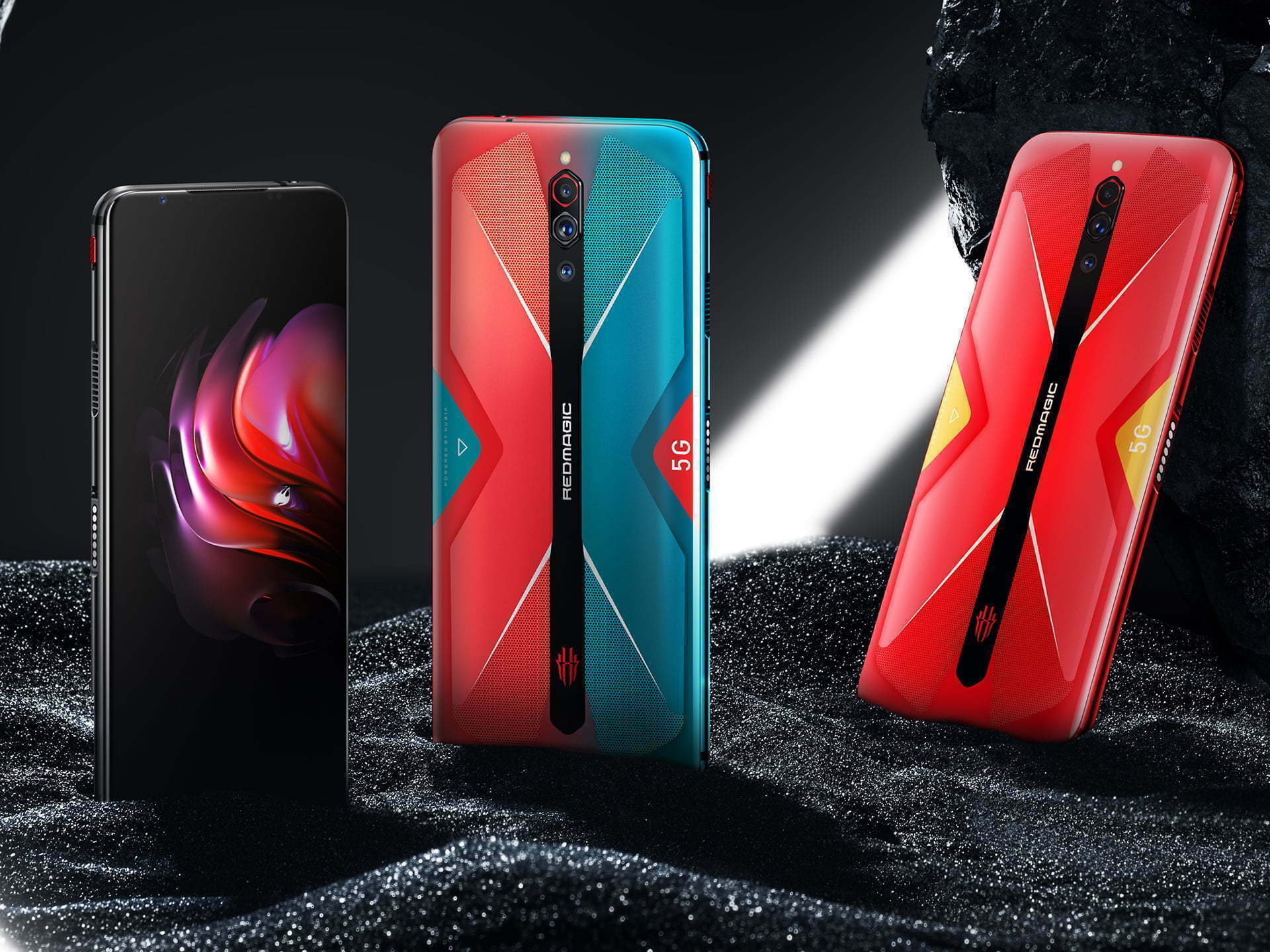
    The last flagship of Nubia is only a few months old, but that doesn’t stop the Chinese company from adding a new high-end smartphone to their gaming-focused Red Magic line. Following the growing trend of 5G-enabled phones, Nubia unveiled the Red Magic 5 G for its home market with outstanding features such as an air-cooling system and a high-refresh screen. In this sector, there is an unsaid rule: A handset can not enter the gaming-phone club unless it has a flashy design with some kind of RGB lighting. The Red Magic 5 G does just that and with its multi-colored, multi-textured rear finish, it takes it a step higher.

    In addition to these hues, the unit aims to draw your attention with two vents on its sides, which are used to sustain the airflow using a miniature cooling fan, mimicking the kind of laptop setups. Combined with liquid cooling, it helps keep the temperature of the Processor down and curbs the heat produced by a 55W brick charging cycle.

    For allowing smoother visuals when gaming, the Red Magic 5G’s 1080p AMOLED screen refreshes at 144Hz, which is perhaps the highest rate on any smartphone. It rocks a Snapdragon 865 along with up to 16GB of RAM and 256GB of on-board storage. The triple-camera system on the back includes a 64MP primary sensor, while the handset packs a 4500mAh battery along with an in-display fingerprint reader. It comes running the custom Red Magic OS, which is based on Android 10.

    Pre-orders Nubia Red Magic

    Nubia has announced that pre-orders for the Red Magic 5G are now live. You can deposit $30 to get a voucher to buy the phone as one of the first when it launches April 21. Every day leading up to that date, the first 100 customers will also be able to get the voucher for $5.79, saving them $24.21.

    The version with 128GB of storage and 8GB of RAM in Eclipse Black will cost $579 (€579/£539), and a Hot Rod Red version that’s “coming soon” will go for the same price. There’s also a 256GB/12GB variant in a “Pulse” color that you can get for $649 (€649/£599).

    The Red Magic 5G will be available in the US, Canada, the UK, the EU, and a few more countries around the world: Australia, Hong Kong, Israel, Japan, Singapore, Indonesia, Taiwan, and Macao.

    #Red Magic 5G
    ProcessorOcta-core Qualcomm Snapdragon 865
    OSAndroid 10-based Red Magic OS
    Storage128/256GB UFS 3.0
    Display6.65-inch AMOLED, FHD+ (2,340 x 1,080), 144Hz, 240Hz touch sensing
    Battery4500mAh, 55W charging
    Front camera12MP, f/2.0
    Rear cameras64MP Sony IMX686, f/1.8, PDAF (main) + 8MP (ultra-wide) + 2MP (macro)
    ConnectivityDual-SIM, 5G, 4G LTE, Wi-Fi 6, Bluetooth
    Dimensions168.56 x 78 x 9.75mm, 218g
    PortsUSB Type-C, 3.5mm headphone jack
    ColorsHacker Black, Mars Red, Cyber Neon, Transparent Edition
    BiometricsIn-display fingerprint reader
  • Xiaomi Mi A3 updates to Android 10

    Xiaomi Mi A3 updates to Android 10

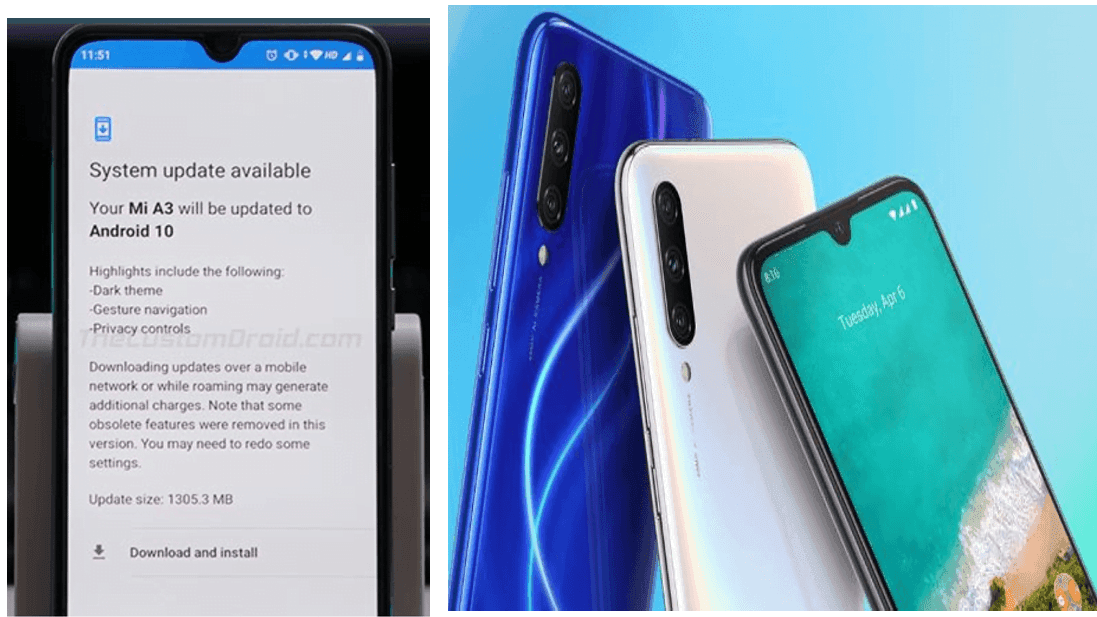
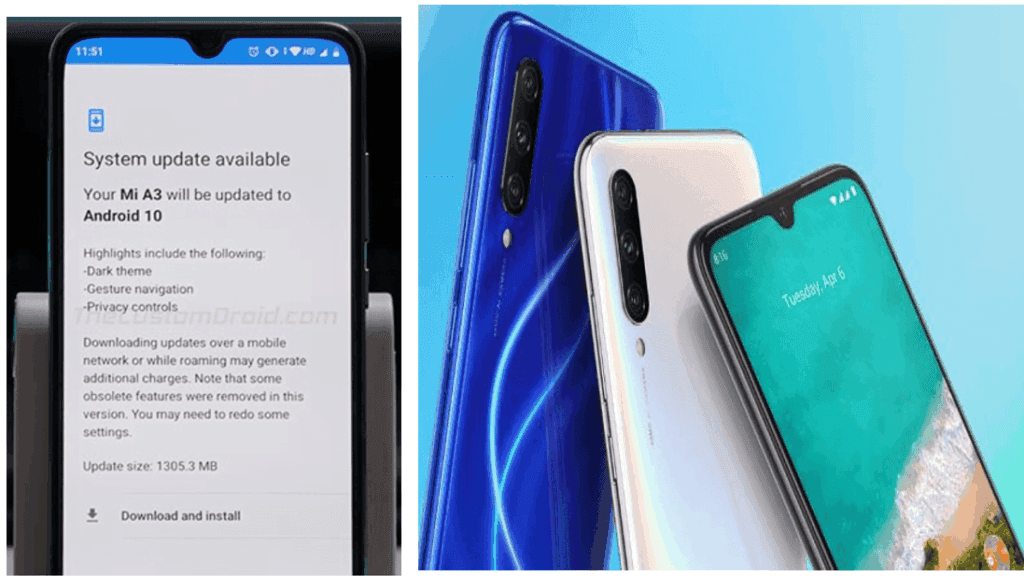
    After rolling out last month’s Android 10 update for the Mi A2 smartphone, Xiaomi today started rolling out the update for its latest Mi A3 smartphone after a slight delay, even though last month it released Android 10-based Kernel Sources for that app. Last year in August the smartphone debuted running Android 9.0 (Pie).

    Android 10 provides users with a number of additional privacy and security features, including Dark Theme, Smart Reaction, Focus mode, dedicated’ Privacy’ portion, and much more. After the update, you need to select “Show fingerprint icon when the screen if off” option in the fingerprint settings so that the fingerprint icon appears in the lockscreen when you raise the device or tap the screen. Xiaomi claims this raises power consumption though.