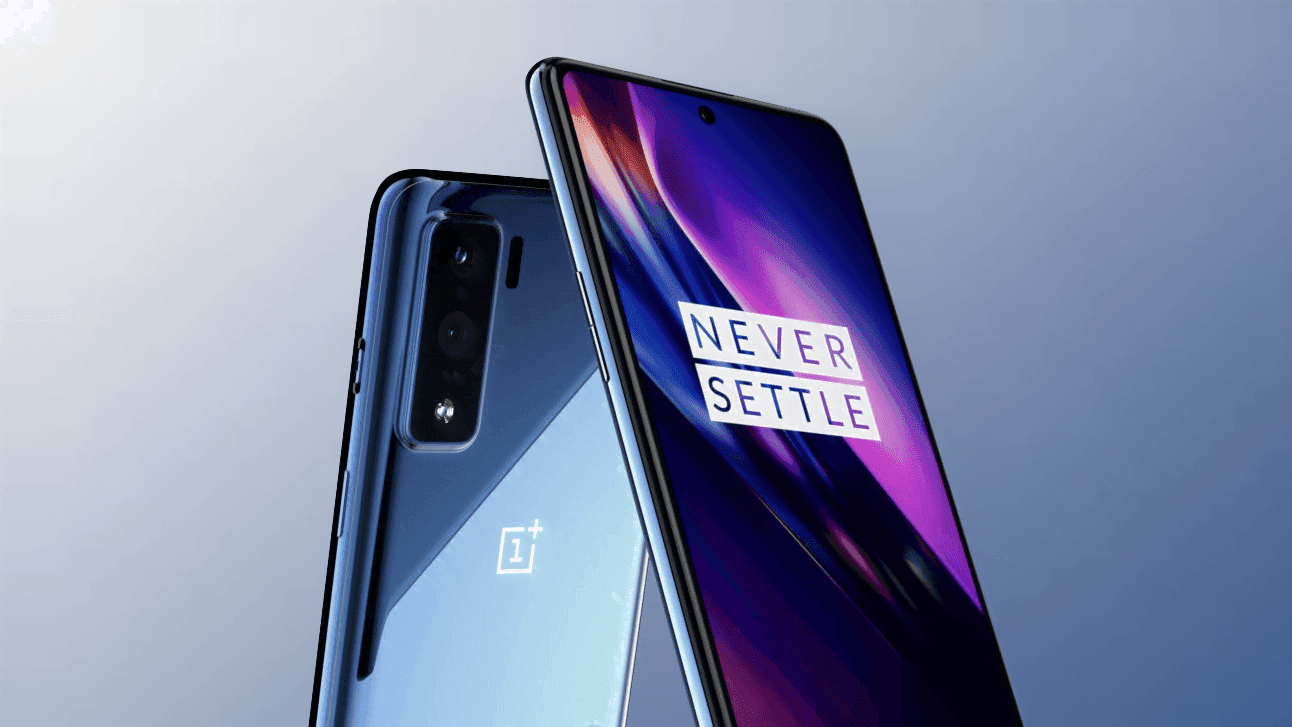
Interestingly, Google released the brand latest Android 11 late last night. Interestingly, the latest Android 11 is available for non-pixel smartphones this time too. OnePlus published the developer preview of Oxygen OS 11 for the OnePlus 8 series a few months ago. The brand has launched the beta public which means that everyone owning the system will install the latest update.
The new UI will get both Oxygen OS 11 features as well as Android 11 features. Most of you remember that the Oxygen OS 11 is almost similar to the OneUI 2.1.
As reported, both the OnePlus 8 and the OnePlus 8 Pro are available for the new update. Those who are eager to try the latest UI will download and install the same with minor glitches. Follow our manual to install the latest Oxygen OS 11 in your system.
How to install Oxygen OS 11 (Android 11) in your device!
Oxygen OS allows you guys to download and install locally. There are some custom UI’s which doesn’t allow the same. We might have to navigate to recovery for doing the update. But, as said updating OnePlus devices manually isn’t a huge task.
Download the public-beta file from OnePlus community or by following the below links
Once the file is downloaded, move the same to the internal storage.
Now, navigate to Settings, and tap on System.
Once you reach, click on System Update, and select the “Settings” icon from the top right.
After this, click on “Local upgrade”, and choose the file which you have downloaded earlier.
Now, tap on install, and your device will be upgraded to the latest Android 11
Do check out the “About Phone” page for verifying the update.
As of now, no users reported any major bugs after installing the new Oxygen OS 11 on top of Android 11. What we can understand from here is that, you can this as a daily driver. Do let us know if you have any doubts on the same.
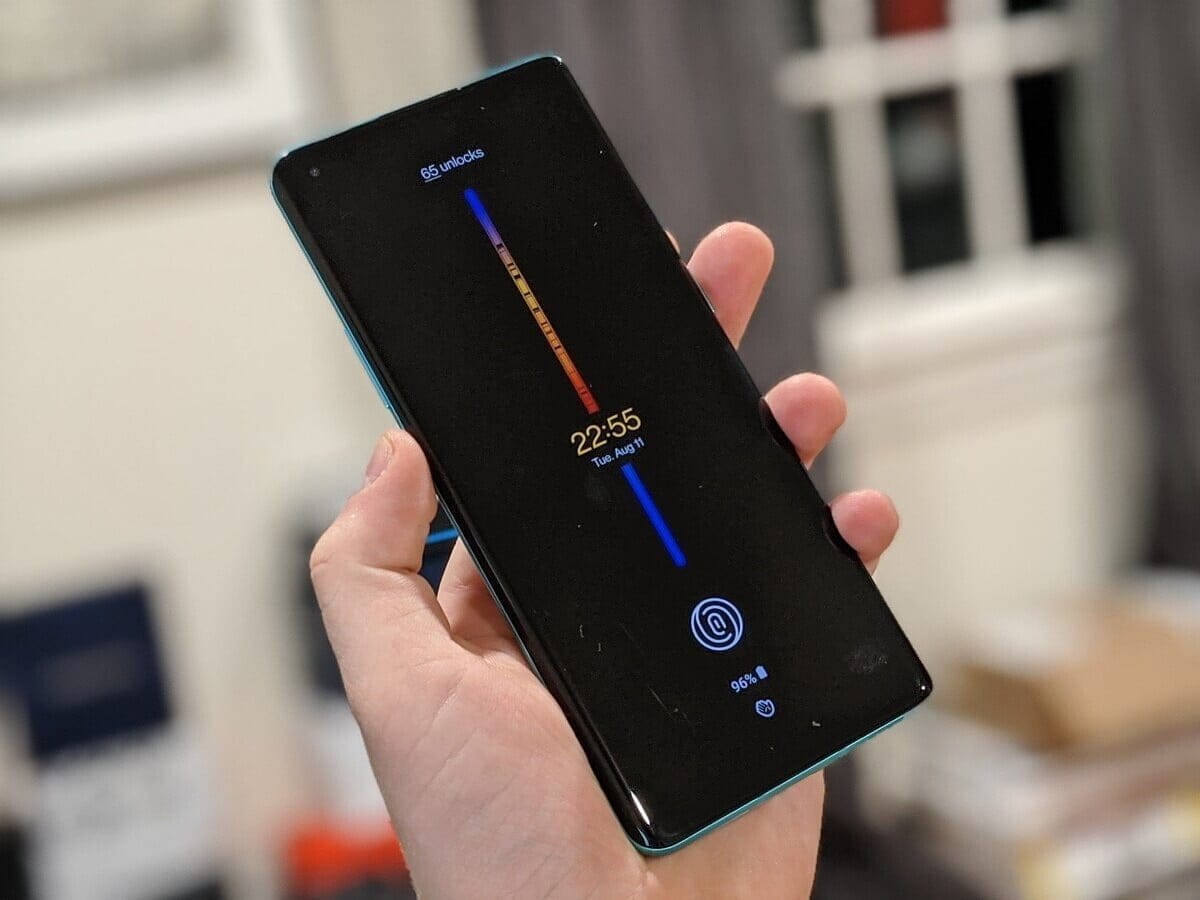
On August 10th, OnePlus will launch its latest 11-based OxygenOS 11. The first screenshots of the new version have been posted, which will feature significant improvements to the interface and new functionality. OxygenOS 11 has a OneUI-like look and has a rather convenient one-handed interface.
OxygenOS, which has a pure Android design in general until this time, will have a much more original design with the new version. OnePlus will open the closed test version to the community members with its event on August 10. The company invites its “most technically-inclined” community members to try the release. “Then once we’ve squashed most of the big bugs and improved over stability, we’ll release a full open beta to let even more of you try it out,” OnePlus CEO Pete Lau said.
AOD
Settings
Contacts
Weather
OxygenOS is also based on new features in Android. So in OxyegenOS 11 you can see all of the features of Android 11. It is not known on which devices a closed trial will be held on 10 August. This will probably be released for OnePlus 8 and 8 Pro, backed by Android 11 Beta.
PixelExperience is an AOSP based ROM, with Google apps included and all Pixel goodies (launcher, wallpapers, icons, fonts, bootanimation).
Their mission is to offer the maximum possible stability and security, along with essential and useful features for the proper functioning of the device.
The new Android 10 brings new system UI, new gesture navigation, improved privacy and location control. The update also offers enhanced app permissions, foldable display support, security features, system-wide dark mode, etc.
The Android 10 also offers built-in call screening, multi-camera API, smart replies in the notification panel, 5G support, improved call quality, bubble feature, live caption, and more. While the latest version also improves battery life, Focus mode which is similar to the Do Not Disturb mode, etc. Apart from that Android 10 also features 65 new emojis. It also comes with direct audio streaming support to hearing aid devices.
It has all the features and applications which comes out of the box with Google Pixel smartphone. Now you can experience the real Pixel Smartphone with this ROM. With this ROM, you can enjoy
Magisk is a popular name for Android users who are fond of rooting their smartphones. The app is not available in the Google Play store, either. However in the recent foun that there is a clone of his Magisk on the Google Play store, the app creator John Wu. The clone looks exactly the same as the original Magisk application, and it also has the same name. It was all cool, though, until the time the app was reported to contain malware. That simply means you are not supposed to download the Magisk application from Google Play store.
Google Play store policy explicitly notes that Google will never allow an app that helps to root. Thus the Magisk could not penetrate the environment of the Play store. However, the app that was mentioned was downloaded and updated about 50k times before people found out about it.
The app has been listed on the Google Play Store by the Loringo, Inc. , a company that uploads clones of KKGamer Pro, Pro ZArchiver, and android Dolphin Emulator software. The business has used Magisk ‘s branding to distribute malware to Android users who enjoy rooting their computers. The App developer, however, had asked the users to report the app to stop the business. Thus, the Android version is no longer available on the Google Play Store.
But we should always review an app before we hit the download button for our protection as Android users. However, Magisk will not make its way to the Play store anytime soon according to Google policies. So make sure on Google Play store you stop each and every clone of the application. If possible just go ahead and report it, this way the other android users won’t be targeted by scams and malware
Native screen recording: Google has been toying around with adding a built-in screen recorder to Android, and Android 11 pretty much confirms the feature will launch this year. You could use the screen recorder in the first Android 11 preview but it is much more refined in DP2. In the second beta, capturing device audio is now supported, all but assuring us that the stable release will include this long-awaited feature.
Increase touch sensitivity: Those who use screen protectors will love this feature. Google added an “increase touch sensitivity” option to the settings menu that lets you, well, increase the sensitivity of your touchscreen. If you use a screen protector, this should result in fewer missed taps and scrolls.
Notification History: Android doesn’t make it easy for you to see previously dismissed notifications, with Android 10’s Notification Log basically hidden for users. Android 11 DP1 hinted at a Notification History option and DP2 basically confirmed it. The new feature looks like it will be pretty useful.
Auto revoke app permissions: Android 11 DP3 has introduced a new option to automatically revoke permissions such as camera, location, and more, from apps that haven’t been used for a while. This new setting can be turned on if you think you’re not going to be actively using an app after a few months. You can read more about it here.
Easter egg: What would a new version of Android be without the traditional Easter egg? The third beta finally brought us the latest secret addition to the operating system. You can see it in full action here.
Exposure Notification API: Google and Apple worked together in a rare form of solidarity to create the Exposure Notification API. This system allows official health organizations to make contact tracing applications to help stem the spread of COVID-19. In Android 11, the Exposure Notification API is incorporated and turned on automatically.
Updated or revamped features
Revamped power menu: Android 11 will have a wildly revamped power menu that gives you quick access to smart home controls, your Google Wallet cards, and (obviously) power options.
Update: This new feature was slightly refined in the latest Android 11 beta 2. Check out the subtle differences here.
Screenshot markup interface tweaks: If you take a screenshot on your Android phone, there’s a native way for you to mark it up with notes or scribbles. However, there’s no way to delete the screenshot from that interface. That will change in Android 11.
Revamped overview menu, screenshot shortcuts: In Android 11 Developer Preview 3, Google revamped the overview menu (recent apps screen) to show larger cards as well as two new screenshot shortcuts. However, it also removed the ability to access the app drawer from the overview menu.
New text selection mode in overview menu: In the fourth Android 11 Developer Preview, Google added a “Select” button to the overview menu. Tapping it allows you to quickly select text inside an app and paste it into another app.
Undoing recently cleared apps: Speaking of the revamped overview menu, you can now also undo an accidentally cleared app by quickly swiping down on the screen.
Update: With the fourth Android 11 Developer Preview, Google removed the ability to undo recently cleared apps in the multitasking menu.
Media players now head to quick settings: If you’re listening to music on your phone, you’re used to finding a media player in your notification shade. In Android 11, the player will move to the quick settings area and get a few more tools, including the ability to easily pick an output device. If you are playing two forms of media at once (music and a podcast, for example), you’ll be able to swipe the notification to swap between the different players.
Ability to dismiss persistent app notifications: If you’ve ever used Android, you’ve probably run into a persistent notification (one that you can’t easily swipe away). In Android 11 Developer Preview 3, Google lets you clear all notifications. Don’t worry — you can quickly bring persistent notifications back if you swiped them away by accident.
Update: This feature was removed in Android 11 Developer Preview 4.
More granular back gesture tweaking: The back gesture can be a little frustrating at times, as you perform a similar gesture to activate hamburger menus. Fortunately, Android 11 has two sliders to let you control the sensitivity of the back gesture — one for the left side of the screen and one for the right. This is a welcome change from the single sensitivity slider in Android 10.
Airplane mode doesn’t kill Bluetooth: Previously, turning on airplane mode would also kill Bluetooth on your phone, which doesn’t make much sense. People who use airplane mode might have Bluetooth headphones connected, resulting in having to turn on Bluetooth again. In Android 11, Bluetooth stays on when airplane mode is activated.
Pixel Themes gets clock tweaks: In the Pixel theming section of Settings, you will likely be able to customize how your clock looks on the AOD and lock screen. However, in the first beta, there is only one clock option available.
Update: This feature was removed in the second beta release.
New Motion Sense option for Pixel 4: We’ve been complaining for a few months that Google seems to be neglecting Motion Sense on the Pixel 4. In Android 11, the company is adding a new way to control your phone without touching it. In Android 11, you can tap the air above the phone to pause your music.
Pixel 4 Face Unlock will require you to open your eyes: Speaking of the Pixel 4, it looks like Android 11 will offer users the ability to require their eyes be open for Face Unlock to work. This might make unlocks less efficient, but it will certainly make your phone more secure.
App pinning in the share menu: Android used to let you pin your most frequently used apps to the share sheet, but that option was removed in Android 10. Now it’s back and there will even be a little pin icon next to the apps you’ve pinned so you know what’s up.
Enhanced notification shade conversations: When you get a text, you can see the most recent message in your notification shade under a new Conversations tab. Not only will you be able to see more of the thread but you’ll also have richer ways to compose messages, including a way to send picture messages right from the notification. Notifications will also look a lot more organized thanks to a revamp of how they look.
Upgraded Voice Access capabilities: Previously, Android’s Voice Access labeled all the actions on the screen with a number, allowing you to call out the number to perform said action. Now, Android 11 can read what’s on your screen and let you say the action instead, being a rather cool accessibility upgrade. An example shown by The Verge‘s Dieter Bohn includes saying “Instagram” to launch the app rather than saying the corresponding number.
Just recently, Samsung Internet has had a major release that gave it autofill support from third-party password manager and a new Chromium engine, but the developers are already working hard on the next update, version 12.1. The latest beta browser adds a new grid view to the tab switcher, making it essentially the same interface that Google Chrome is already testing for many users.
After installing or downloading the beta for the first time, and hitting the tab switcher icon, you are greeted with a prompt asking how you would like to display your tabs: list, cards, or chart. The grid is their new one. Depending on your display size or the density you have chosen in your device settings, you will either see them as large, card-like squares showing you two tabs at a time, or an interface of two tabs next to each other, showing up to six website previews at a time. The latter only shows up for me when I select a less dense display size on my Pixel in device settings, but this may be different for Samsung phones.
The changelog also mentions the addition of a context menu to the tab bar, which you can activate in settings under Appearance -> Show tabs below address bar. It’s now possible to long-press these tabs to make said context menu appear, giving you options to close all tabs, close other tabs, and pin or duplicate the current tab.
N A blog post, Samsung addresses additional additions. Tablets have been given a new layout option, which allows you to shift the toolbar to sit next to the address bar, making the browser behave more like one you see on a desktop. When you watch a video on the Z Flip, you now have the option of showing the video in the top half of the screen and having your controls in the bottom half.
You can get the latest beta release on the Play Store or over at APK Mirror. The current version has been available since the end of June, but Samsung has only now published the changelog, which pointed us to the UI change.
Everyone is aware of the fact that because of its customization feature, Android is one of the users’ most favored operating system, setting it apart from iOS and other operating systems. Android OS allows users to make a personalized version of Android depending on their taste and interests and that’s where personalized ROMs come in.
A custom Rom is essentially a firmware based on the source code provided by the Google app. These custom roms give you the opportunity to explore exciting features and learn about the latest design you can use to customize your Android app to your needs. One positive thing about Android custom ROMs is that they are free of bloatware, while offering strong customizations at the same time.
So, if you’re a guy who loves to customize and want to personalize your computer. So get ready to learn about some of the best Custom ROMs you can try right now and these ROMs can help you get the most out of your Android device.
Pre-requisites:
Unlock Boot loader
TWRP Recovery
Before installing a custom rom in your device make sure that you have an unlocked bootloader and a custom recovery like TWRP or CWM installed.
DerpFest OS – custom ROM
After initially booting the Rom. Unlike other Custom Roms that use Pixel ‘s stock Launcher, DerpFest uses a third-party launcher named Lawnchair, when you unlock the screen it will take you to the new launcher.
This launcher is highly customizable and you can adjust any part of your user interface and home screen believe me. By using Icon Packs, Colors, Grid Styles & More, you can change the Gui feel.
Now let’s think about the user interface improvements in the Center. This ROM creates a blur effect on the different UI components. If you look at the notification bar, you can see a beautiful blur effect on the background whenever you visit the Notification Center that differentiates how it looks from the stock edition.
If you’re a guy who loves Google phones and can’t afford to buy expensive smartphones then you can install Pixel Experience ROM in your device to get a pixel screen look to yourself. This custom ROM will turn your smartphone from icon to widget into a Google app with all of the scintillating functionality.
When you get a pure look of Google computer through this ROM you don’t want more than that. It’s quite identical with the original Google Rom so it’s able to give you a large number of customizations with all the ingredients you need to customize your computer.
Many users face stability issues in custom ROMs but this problem is solved by lineage rom which is a successor of cyanogen mod rom. Lineage OS has become the most common rom among users after cyanogen discontinued.
Lineage has been able to induce a large number of users to download their ROM which in a sense cemented the position of this rom in the market.
This ROM was also the key source of development for all the other Roms, since most of the Roms out there follow the lineage rom ‘s footsteps. Lineage rom offers some better personalization than others. You may wonder why lineage rom has not been able to make it to top of the list of most custom roms after such a strong reputation in custom roms.
In fact, lineage rom is not entirely based on customization, rather it gives due importance to all the factors required for a good custom rom such as reliability , performance, battery life, etc. and to cover this broad spectrum of user needs, these roms are doing their utmost and have managed to make their mark among the custom ROMs.
Resurrection Remix
In this list, Resurrection Remix grabbed third place. This rom is also an old market player, and started its development in the early days of Android 4.0. The key highlight about RR is its feature packed menu of settings loaded with attractive customization options which captured the users’ eye ball.
Resurrection Remix ROM has managed to remain a step ahead of them in a cut throat market as all the Roms have been innovating by upgrading the rom with exciting features. In addition to architecture, looks and configuration, the RR ROM development team is continuing to incorporate fresh improvements in rom to make it an exciting experience for users.
One limiting feature about RR is that it has jam packed stuff which can disturb the harmony of your device and you may face some stability problems.
As mentioned earlier in the preconditions pages, after installing some of the roms, you’ll need to flash your computer, which may be a concern for some of you, but don’t worry we’ve got a solution to all of your problems. If you want to save your computer from any unnecessary problem when flashing your app, AOSP is one of the best custom Roms.
I ‘m saying this because I’ve been flashing the custom roms of AospExtended for some time now, but I haven’t faced any kind of problem so far. From the rom ‘s name you can assume that it has lots of AOSP extensions.
Statistics are an exciting aspect for this ROM, and since its release it has over 1.3 million downloads, and as the number suggests, this has been the users’ favorite choice.
This rom is a combination of all the necessities of a custom rom, from navbar modifications to gestures, presentation designs combined with smooth buttery UI and exotic themes. Stability of this could bother you but overall it’s one of the best custom roms you’ve got to try.
Function plus reliability, you may be waiting for these items to be merged on the list so we’re with OmniROM here. It is one of the best custom roms that has managed to retain stability across all its updates.
There are two thrilling omni highlights which are open delta and free turn. This rom was used as a model for several of the custom rom designs, too. Elegant wallpapers, simple user interface and flexible features makes this a go for the users.
Paranoid Android
Paranoid android is one of the series that you might have seen all about once in your life. This rom is famous for its feature built in house, but after release of KitKat-based AOSPA.
This has slowed down compared. This has continued to be the best Custom ROMs in the game for quite a long time now, given the slow down.
OnePlus has been teasing their upcoming affordable smartphone, Nord, for the past several weeks. While lesser specs on a budget phone would be acceptable, OnePlus Nord is not taking that route, and today some of the premium offerings have been confirmed.
OnePlus reported a host of specs for the forthcoming onePlus Nord smartphone in two different posts this week. Which starts with the continued commitment of the company to the achievement of “smoothness.” This is achieved first and foremost by the 90Hz monitor. Unlike the OnePlus 7 and OnePlus 8 series, Nord will be providing the faster refresh rate. In addition, it will also have a higher contact sampling rate on previous versions at 180Hz over the 135Hz.
We introduced our first 90Hz display on the OnePlus 7 Pro last year. Since then, we’ve been working relentlessly to optimize our 90Hz technology for the best user experience. One of the biggest improvements we’ve made has come from the touch response rate we’re able to achieve from our 90Hz display technology. Touch sampling rate basically measures how fast a screen responds to your every touch, swipe, and scrolling gesture per second.
With Nord, we’ve upped its peak touch sampling rate from 135Hz on the OnePlus 7T to 180Hz for specific tasks like gaming, where the timing of every input can decide whether you finally take down a fearsome boss or succumb to its wrath once more.
OnePlus
We have known under the hood that the Snapdragon 765 G would be used for some time. Additionally, up to 12 GB of RAM will come with the device. The RAM allotment for the base model is not yet known, but I would wager it wouldn’t be a small amount.
OnePlus also listed the camera specs on the OnePlus Nord in its second article. On the back, using the Sony IMX586 sensor, there’ll be a 48MP primary camera. That’s the same one we found in the OnePlus 8 (not the Pro), which we found in our review was a decent offering.
There’s an ultrawide 8MP and a 5MP depth sensor to back up the main sensor. OnePlus also says that there is a macro shooter but does not mention the count of megapixels. There’s also a 32MP selfie camera on the front which is backed up by a wide-angle sensor, something we knew already. We know that the secondary shooter is 8MP, too, thanks to a previous report.
OnePlus Nord is expected to be unveiled in full on July 21. Though, at the current speed, by then there is simply little that we do not learn.
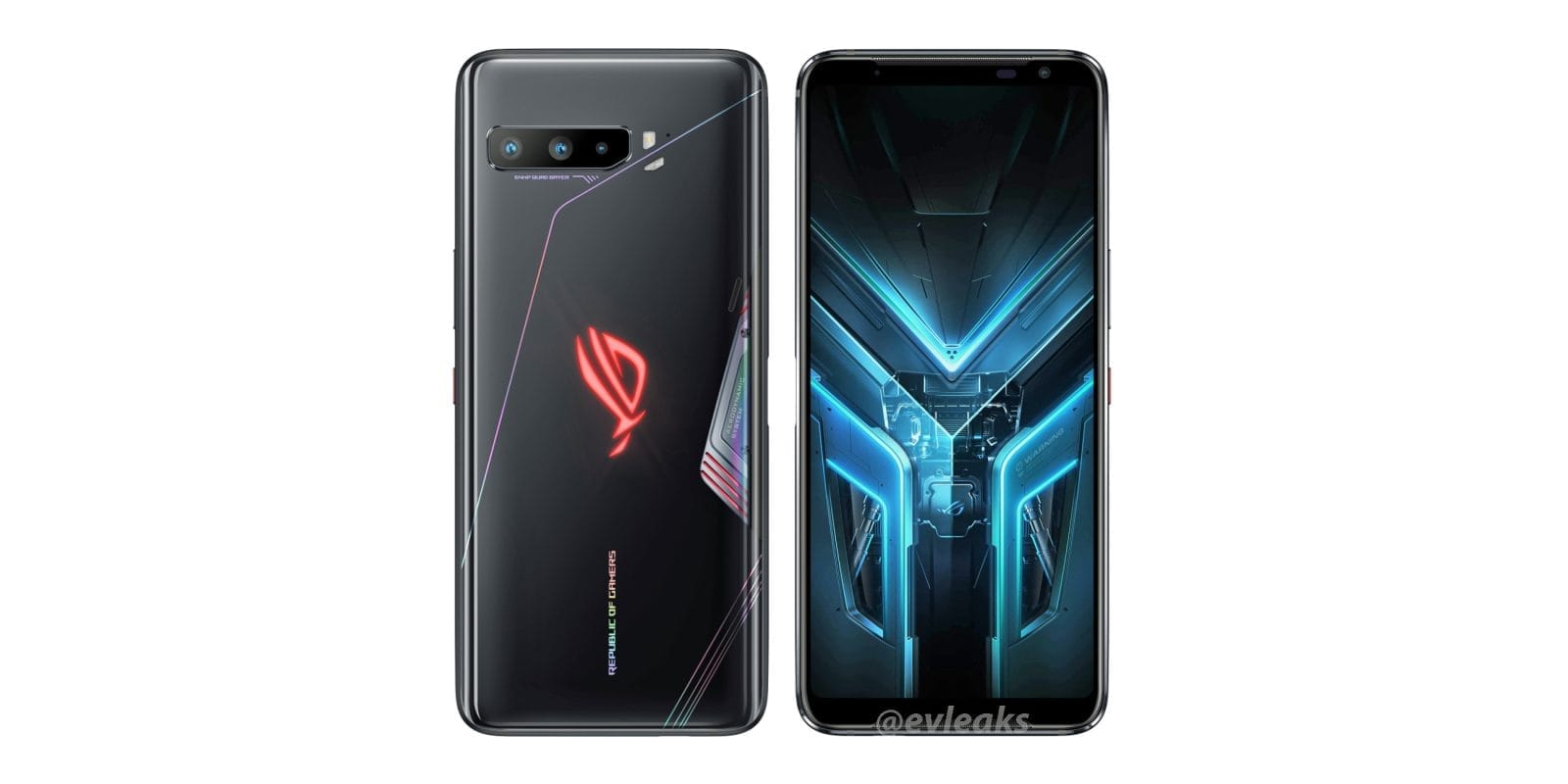
With the ROG Phone 3 set to be revealed in less than a week, the pace of leaks is not surprising to pick up. Our new look at the forthcoming gaming phone from ASUS came with the help of 91mobiles and renowned leaker Ishan Agarwal, showing off images of the phone’s back and sides.
This make a little more stunning than the previous images that leaked courtesy from the Chinese regulatory agency TENAA and corroborate what we saw from MySmartPrice later on. The triple-camera setup on the back is clearly visible, along with what looks like a flashing emblem from the Republic of Gamers, and what we presume is a vent for the phones that are supposed to be active cooling — but if history is any indication, it may actually do nothing.
One side of the phone looks like it has the same kind of weird dual USB Type-C port sported by the previous ROG Phone 2. The opposite side has the power and volume controls planned, as well as the markings we would presume indicate the position of the capacitive Air Triggers. Also clearly visible are stereo front-facing speakers, flanking the sides of the screen, plus a front-faced camera.
At just under a week left until the awaited announcement on July 22nd, we don’t have to wait long before we hear more.
In the past few months, Reliance’s Jio Platforms has been on a funding spree with some major investments coming from Twitter, Qualcomm and other multinational brands. Google is joining this extensive list, which will pick a minority stake in India’s largest telco to build custom software and hardware solutions for India’s increasing smartphone appetite, particularly in the lower-end segment.
At today’s investor conference, Reliance revealed that after the latter’s 4G-enabled feature phone had seen huge success in the country, Google and Jio are teaming up to make entry-level 4G smartphones. A huge chunk of India’s billion-plus population has so far stuck to 2 G mobile phones, and their first choice is likely to be a cheap Android phone when they decide to turn out. That’s hundreds of millions of potential customers that Google and Jio would like to be able to take in. Down the line the pair can also come out with a 5G-enabled entry-level phone when 5 G is a real thing.
Jio also plans to support Google in creating a custom Android-based operating system that presumably isn’t as resource-intensive as the standard version of Android. While Google already has the Android Go Edition program in place to address similar needs, it doesn’t seem to fit the bill for Jio for whatever reason. Officials at the company refrained from revealing any more information about this new App or any of the phones that could be in the pipeline.
Of the $10 billion fund Google announced last week for the Indian market, $4.5 billion will be invested for 7.7 per cent ownership in Jio Platforms. The Reliance company has raised more than $20 billion in the last few months alone, but much of it is still awaiting regulatory approval, including Google’s portion.
Additionally, Jio had some major announcements to make, such as his readiness to launch 5 G using the solutions built locally. It even unveiled its AR-enabled Jio Glass (pictured above), which could be used for mixed reality applications and will be available next year at some point. Finally, for most streaming apps, including big names like Netflix, Prime Video, YouTube and Disney+ Hotstar, the JioTV+ app for the company’s media box has received a facelift to enable cross-app search and single sign-in. It has also added social features to live TV, such as content-related polls.